Design and run IoT circuits in the browser
A wiring canvas, a code editor, an Arduino interpreter and a serial monitor in one app. ESP8266, ESP32 and Arduino Uno — no hardware required.
3 board ESP8266 ESP32 Arduino Uno
| Boards | 3 | ESP8266 NodeMCU V3, ESP32, Arduino Uno |
|---|---|---|
| Components | 40 | microcontrollers, input, output, passive |
| Libraries | 22 | emulated inside the interpreter |
| Platforms | 3 | web, macOS, Windows |
Inside the app
The four panels you spend the most time in while wiring, writing and running a sketch.
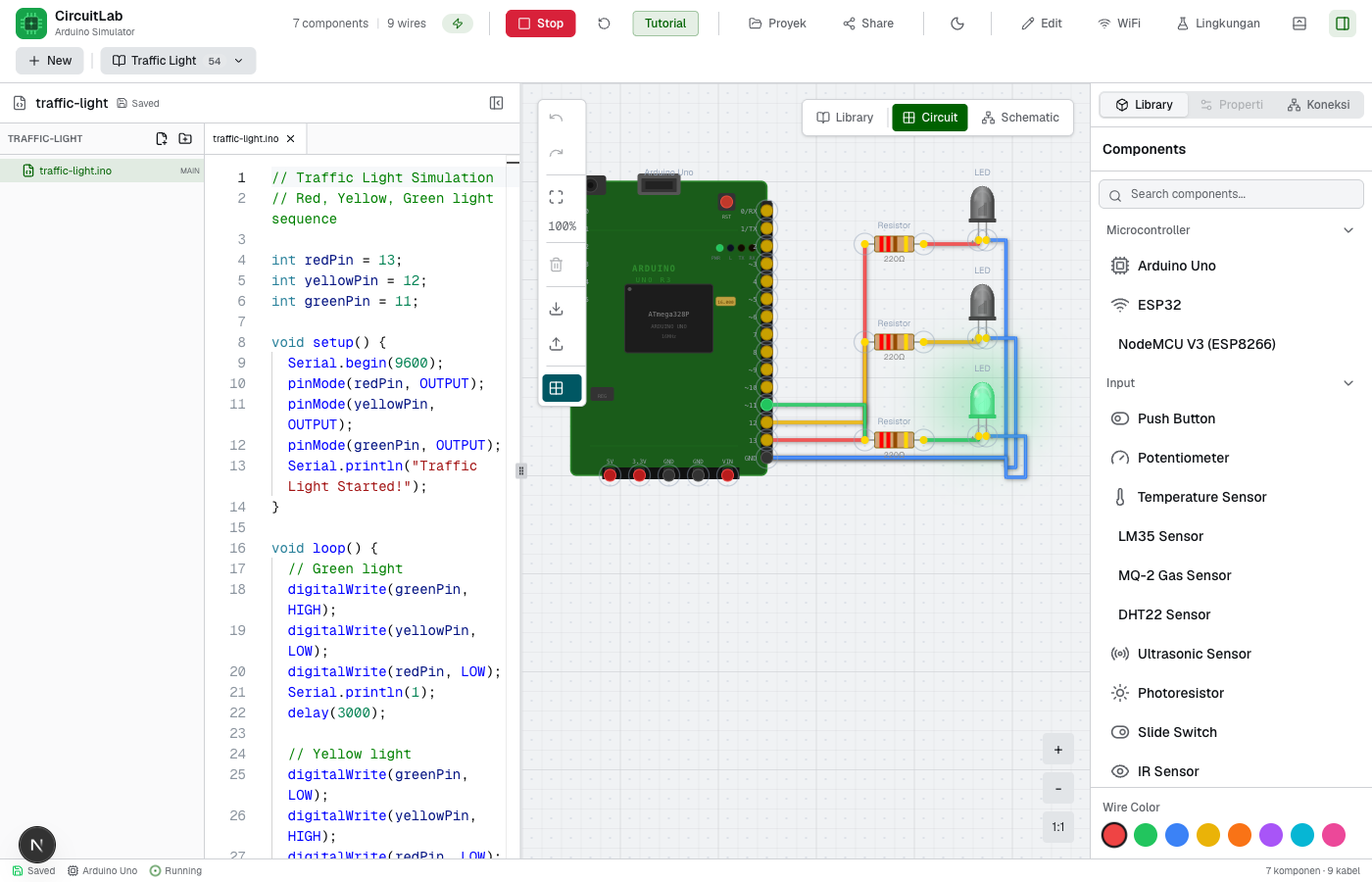
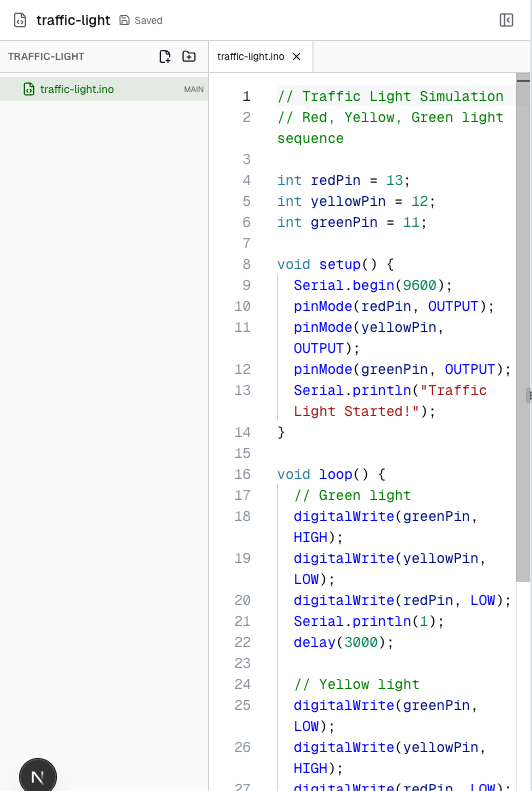
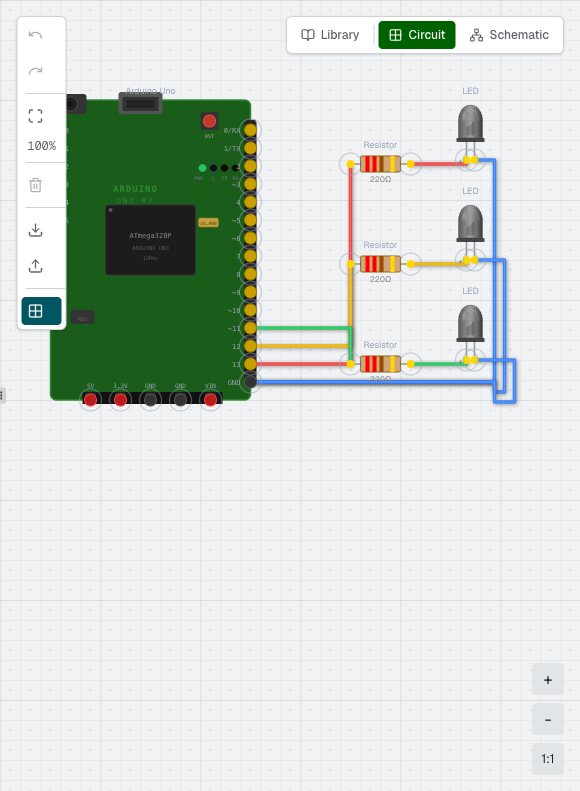
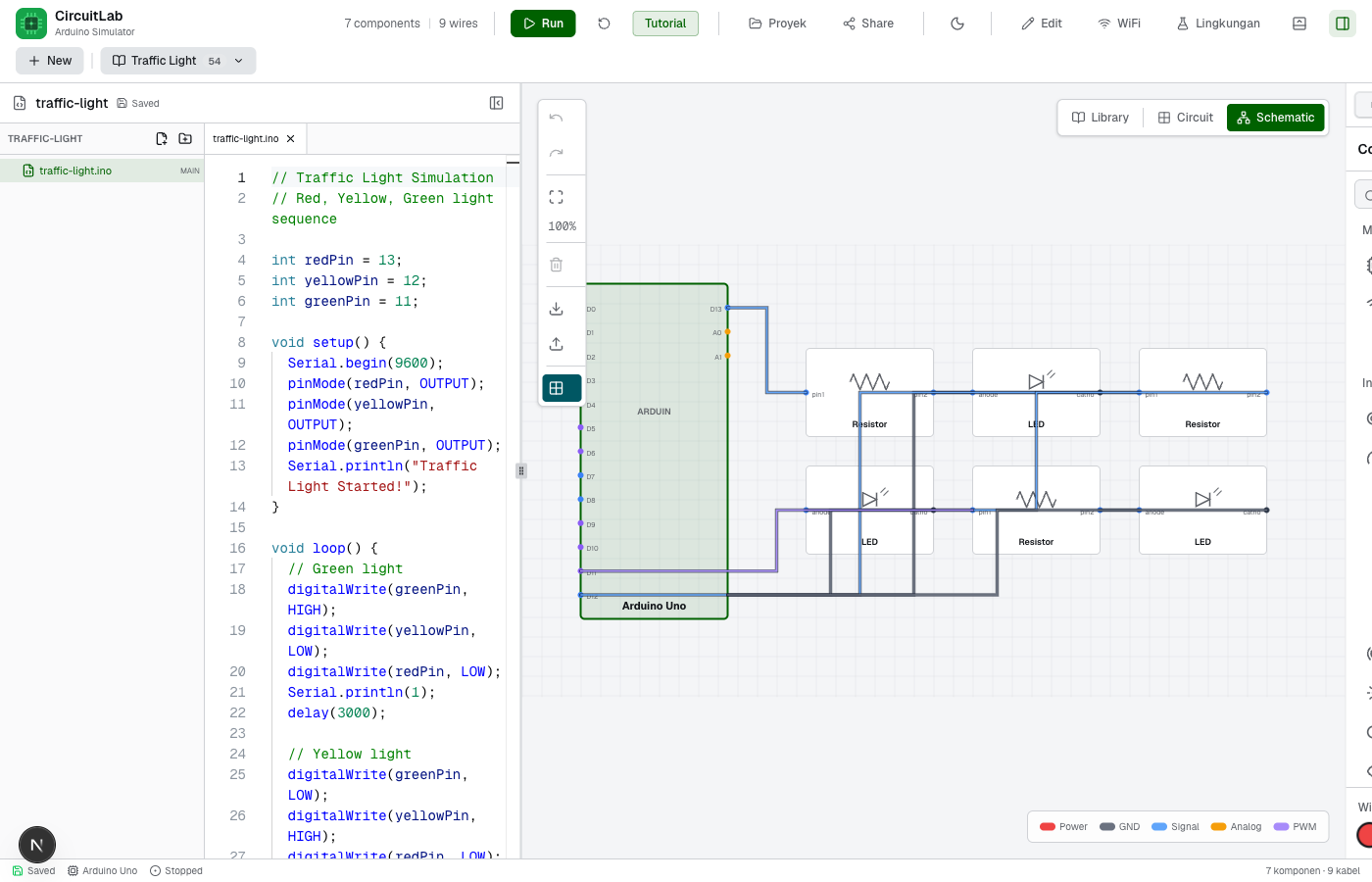
Everything you need to learn and prototype
From wiring a circuit to reading simulation output, it all happens in one app.
- Visual wiring canvas
- Drag components, connect pins, and route wires. Wire colors, direction labels, and a View/Edit mode keep things tidy.
- Arduino interpreter
- Runs a subset of Arduino C++: setup/loop, data types, control flow, functions, arrays, and library objects — right in the browser.
- Code editor
- Monaco Editor with Arduino highlighting, context-aware autocomplete, error markers, and multi-file projects.
- Serial Monitor, Plotter & Oscilloscope
- Watch Serial output, plot sensor values, and inspect digital/PWM pin levels in a full-width bottom panel.
- Virtual web console
- Test WebServer sketches: list routes, send requests, and read responses — with no real network.
- Full board & component set
- ESP8266/ESP32/Uno plus temperature, gas, motion, RFID and ultrasonic sensors, displays, servos, motors and more.
- Environment simulation
- Virtual objects move, so distance, motion, temperature and humidity change on their own — sensors react by themselves.
- Desktop app
- The desktop build runs offline and flashes firmware to real ESP32/ESP8266 hardware.
Download the desktop app
The desktop build runs offline and supports flashing firmware to hardware.
Latest version · v0.5.0 · Sep 17, 2026
Builds are not code-signed yet, so macOS Gatekeeper / Windows SmartScreen may warn you during installation.
Build your first circuit
The simulator runs in your browser. No install, no account.